
Hidden Networks
What Is a Hidden Network?
By default, all WiFi networks broadcast the so-called Service Set Identifier (SSID) every 100 milliseconds to let other devices know about their presence. If you were able to hear and understand the signals broadcasted by your router, you would probably want to cover your ears because all routers around you are constantly shouting something like, “This is BASEMENTWIFI!” or “Hi, I’m CISCO_NETWORK!”
Well, almost all routers. Some routers don’t broadcast their SSID because the hidden network WiFi option has been turned on in the settings. This option stops the broadcasting of the network’s SSID, which effectively causes it to disappear and become invisible to all devices that connect to WiFi networks.
How to Connect to Hidden Networks?
By default Jacidi uses WPA-2 as encryption type.
If you have all this information, you can follow the instructions below for your platform.
Windows 10
- Open the Settings app.

- Go to Network & Internet.
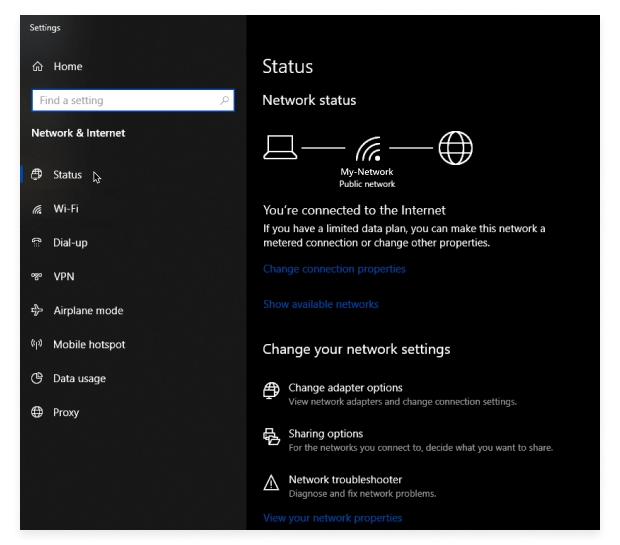
- Select Wi-Fi from the left pane.
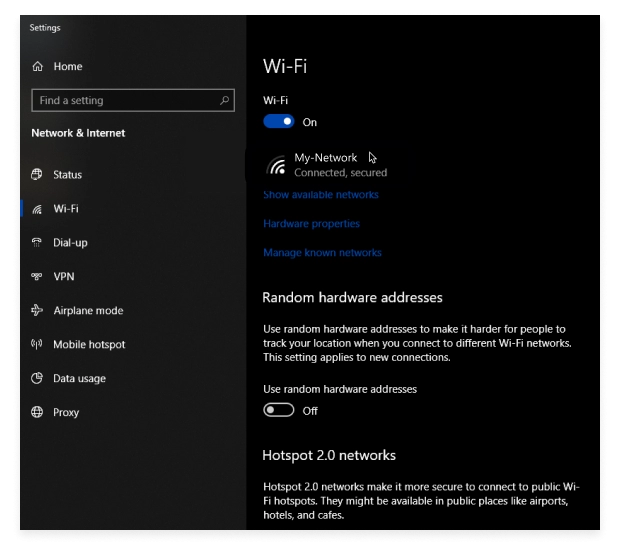
- Click Manage known networks on the right.
- Click Add a new network and enter the required information.
- Click Save and wait for Windows 10 to connect to the newly added hidden network.
Windows 8 and Older
- Open the Control Panel.
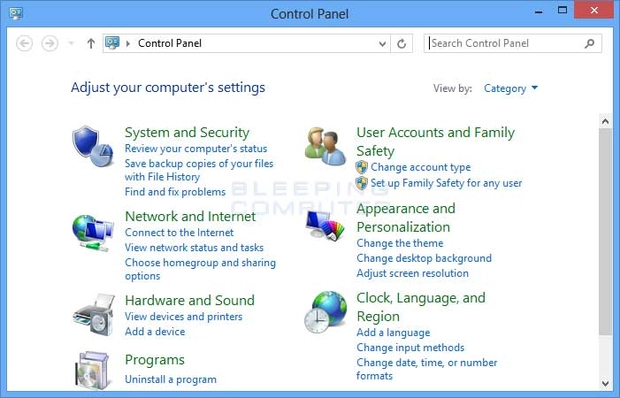
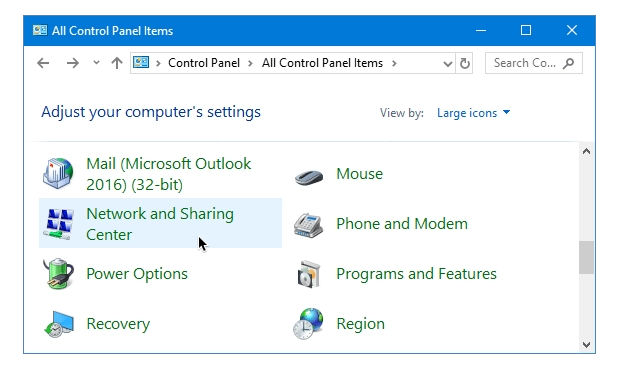
- Go to Network and Internet → Network and Sharing Center.
- Click Set up a new connection or network.

- Choose the Manually connect to a wireless network option and click Next.

- Enter information for the wireless network you want to add and click Next.
- Wait for Windows to connect to the newly added hidden network.
macOS
- Click the WiFi icon in the Menu bar.

- Select the Join Other Network option.
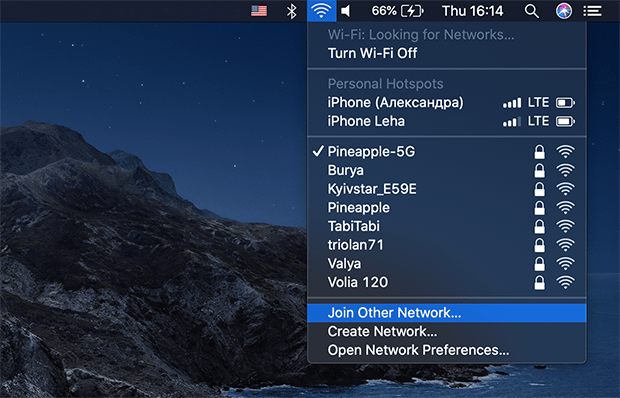
- Enter the required information.
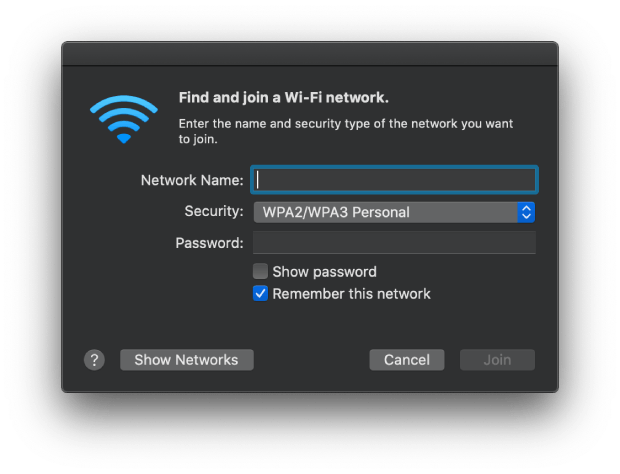
- Click Join.
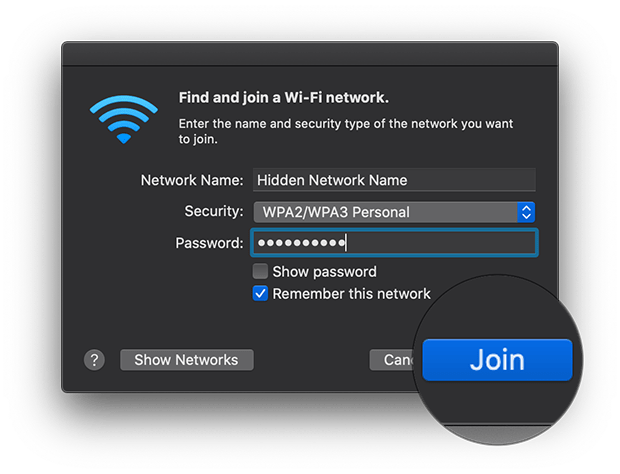
- Wait for your Mac to connect to the newly added hidden network.
Linux (GNOME)
Android
- Open the Settings app.
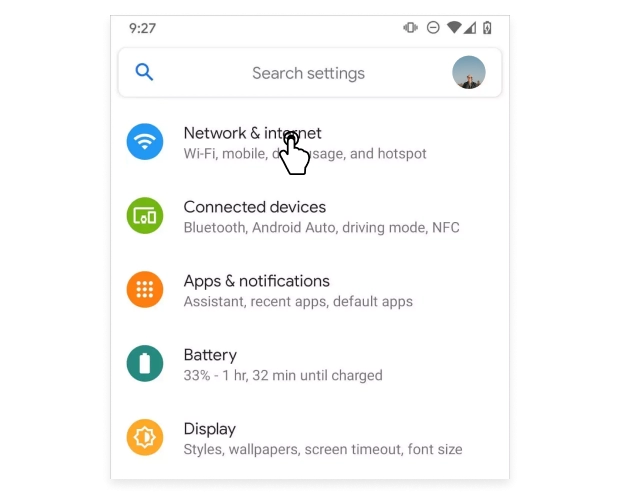
- Go to the WiFi section and select Add WiFi Network.
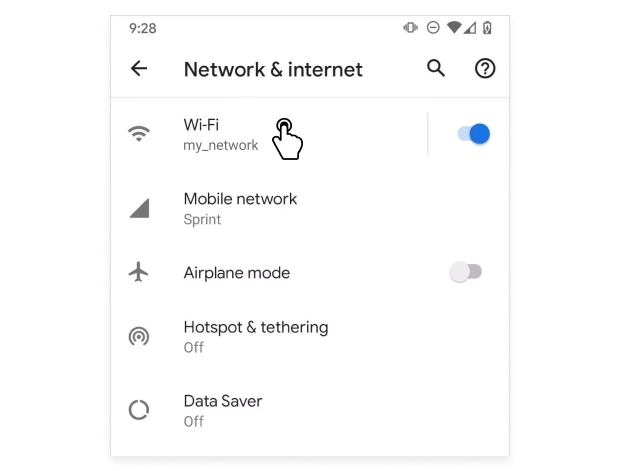
- Enter the required information.
- Tap Connect and wait for your Android device to establish a connection.
iOS
- Open the Settings app.
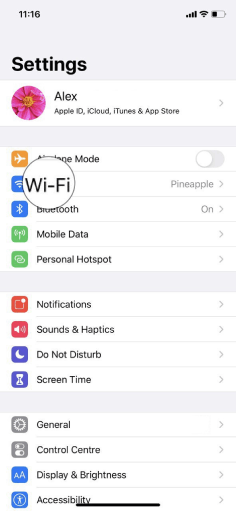
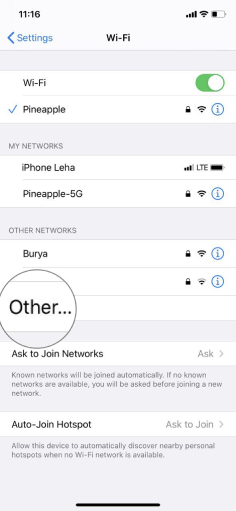
- Go to the WiFi section and select Other.
- Enter the required information.
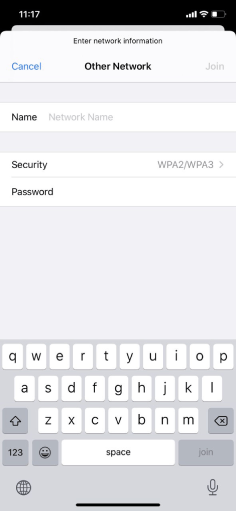
- Tap Join and wait for your iOS device to establish a connection.

No comments to display
No comments to display